
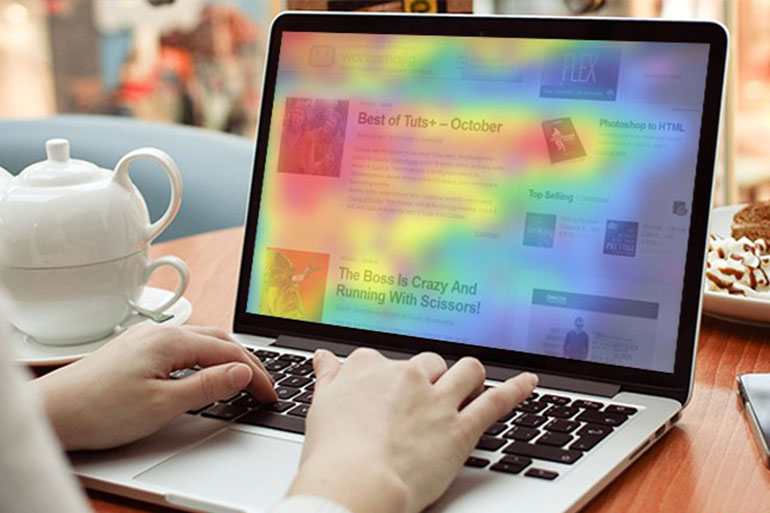
In analytics heat maps data sets are represented with different colors that shift with the gradient across the map. This aspect makes it easy to compare several factors of that data set within a glance. Both sizes of boxes and color intensity indicate a relative performance, which assists you in spotting trends and standouts in a quick overview.
The heat map given above demonstrates how people are interacting with your company’s website. It also gives you insights on how the design layout and content structure of your website can be changed. This heat map gives an in-depth view of where potential customers are clicking and where they are not clicking.
For example, an organization that implemented an analytics heat map tool was shocked to find out that in a particular month, over 2000 clicks were on an image that did not contain a link. They used this information to make the targeted changes which contributed in uplifting their rate of conversion by 87% in the first two months itself.
Two Types of Analytics Heat Maps
- Eye-tracking: This is a form of heat map where the analyst selects a sample size of the user population that interacts with your website. This heat map tracks users’ eye moment as they are engaged in navigating through your website. The eye-tracking technique is quite expensive and the results might not be always reliable.
- Mouse-tracking: This form of heat map tracks the mouse activity of your website’s visitors. These activities are tracked for a particular period of time and are displayed graphically. Experts say that mouse-tracking heat maps are more reliable and a cheaper method for analyzing a website’s traffic.
Benefits of Analytics Heat Maps
- Analytics heat maps provide an instant visual summary of customers’ navigations. You can elaborate this heat map to understand complex data sets. This heat map also assists you in finding the relationship between top referrer of that particular page and the page that has a lack of clicks. Such relationships would be much harder to present if demonstrated in a numerical spreadsheet.
- Heat maps also provide statistical reports based on existing customers versus new visitors. This helps companies in removing those areas that are confusing or distracting while identifying and modifying those areas that receive the most attention. Thus, companies can maximize the usability of their website and maintain the relevance of their product content.
- Some heat maps can also record visitor navigations on actual videos, which help in recognizing user navigation issues accurately.
In simple words, heat maps give us clarity on how a user expects a website to be and how a company can design and modify their website’s layout to gain better customer engagement.